


Have you ever given your phone to a child and later realized that they are hypnotized by YouTube Shorts and endlessly scroll through videos without any value? Well, you’re not alone.
Remember, these videos are made in such a way as to make kids (and adults) scroll endlessly. They are addictive, and this can lead to loss of homework, daily routines, and sleep. These kinds of videos bring another problem to the surface, and that’s “shortening the attention span” for kids.
I’ve been there too. Once, I watched my child get sucked into the machine of never-ending shorts, fast, no plot, no learning, and immediately realized something was wrong. On top of that, my child had many mood swings during that time and showed signs of aggression, which I later connected to the “brainrot” content on YouTube Shorts.
So, the next step is to disable YouTube Shorts once and for all, but is it really possible?
Let’s find out.
Why Parents Want to Disable YouTube Shorts
It is only after we plunge into solutions that it is good to know why Shorts are such a menace.
Quick dopamine hits are elicited by short-form videos.
Children do not have to think; they scroll. Research on attention and digital overload indicates that the faster-paced content is difficult to focus on, and the harder it is to concentrate on slower activities, such as reading or homework, in the future.
But really? I could observe the effect without a study. In a thirty-minute documentary, my kid would not sit still. They could not sit down to dinner, however, after five minutes of shorts. That is when I realized that YouTube Shorts needed to be turned off or, at the latest, limited.
Can You Disable YouTube Shots Completely?
Sadly, that’s not an option; at least there isn’t a straightforward setting that says “disable YouTube Shorts. YouTube does not have a Turn off short button in place of a parent. This, however, does not mean that we are powerless. Solutions that make Shorts disappear or be less available are available.
The following are real parent-tested measures to reduce or remove YouTube Shorts from your child.
How to Disable (or Limit) YouTube Shorts on Mobile
1. Clear and Train the Algorithm
This is the easiest and most consistent method.
Every time a Short appears:
- Tap the three dots on the Short.
- Select “Not Interested.”
Do this repeatedly for a few days. Eventually, Shorts stop being recommended. It’s not perfect, but it dramatically reduces them. I did this over a weekend, and by Monday, Shorts were basically gone.
2. Use the YouTube Web Instead of the App
On a browser (even on a phone):
- Go to m.youtube.com
- Log in normally
- Shorts won’t appear in the same overwhelming format
If your kid watches YouTube on a tablet or phone, using the browser instead of the app helps a ton.
3. Disable the Shorts Button Using “Restricted Mode.”
Restricted Mode doesn’t technically target Shorts, but it removes a lot of the content that usually ends up in Shorts.
To turn it on:
- Open the YouTube app
- Tap your profile icon.
- Go to Settings > General
- Turn on Restricted Mode
This won’t erase Shorts completely, but the ones that remain are usually less chaotic.
4. Use YouTube Kids Instead
I know, I know, older kids will roll their eyes. But for younger children, YouTube Kids does not include the Shorts feature at all. Have you ever wondered why? Well, because YouTube knows that Shorts may be harmful for kids, which is why they don’t allow this feature on YouTube Kids. This alone solves the entire problem.
How to Disable YouTube Shorts on Desktop
1. Use a Browser Extension
If your child uses YouTube on a laptop, browser extensions are your best friend. Examples:
- “Remove YouTube Shorts”
- “Hide YouTube Shorts”
- “Unhook” (Chrome)
These extensions completely remove Shorts from:
- The homepage
- The sidebar
- Search results
- Channel pages
It’s the closest thing to fully disabling YouTube Shorts.
2. Swap the URL Trick
If a Short opens:
- Tap the three dots
- Select “Watch in regular player.”
This converts the Short into a normal video and stops the scrolling loop. Not a full disability, but helpful for breaking habits.
How to Disable YouTube Shorts for Kids’ Devices (Parent Controls)
1. Use Family Link
If your child has an Android device:
- Block the YouTube app
- Allow only YouTube Kids.
- Or set daily time limits.
You can block the YouTube app entirely if Shorts are too tempting.
2. Use iPhone Screen Time Controls
On iOS, you can:
- Block YouTube during homework time
- Set daily limits for the YouTube app.
- Restrict the browser to reduce loopholes.
When I added a 30-minute limit, Shorts viewing went from hours to… almost nothing.
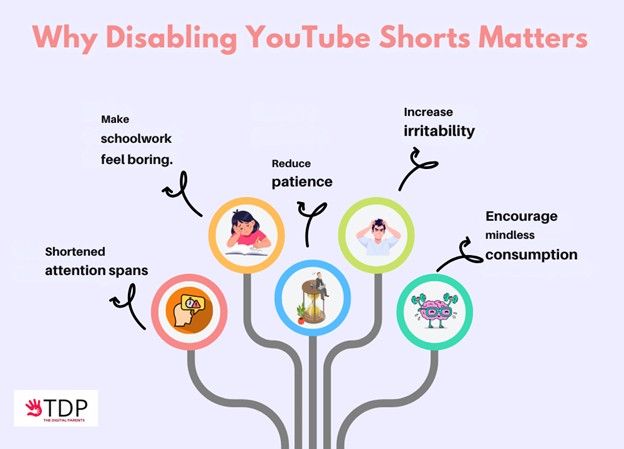
Why Disabling YouTube Shorts Matters
This isn’t about being strict or anti-tech. It’s about protecting your child’s developing brain.
Shorts:
- Shortened attention spans
- Make schoolwork feel boring.
- Reduce patience
- Increase irritability
- Encourage mindless consumption
Kids don’t need perfectly curated educational content 24/7. But they do need a break from overstimulation. As soon as we disabled YouTube Shorts at home, I saw real changes: calmer evenings, more reading, more actual conversation, and fewer meltdowns at bedtime.
Last Words of a Parent to Another
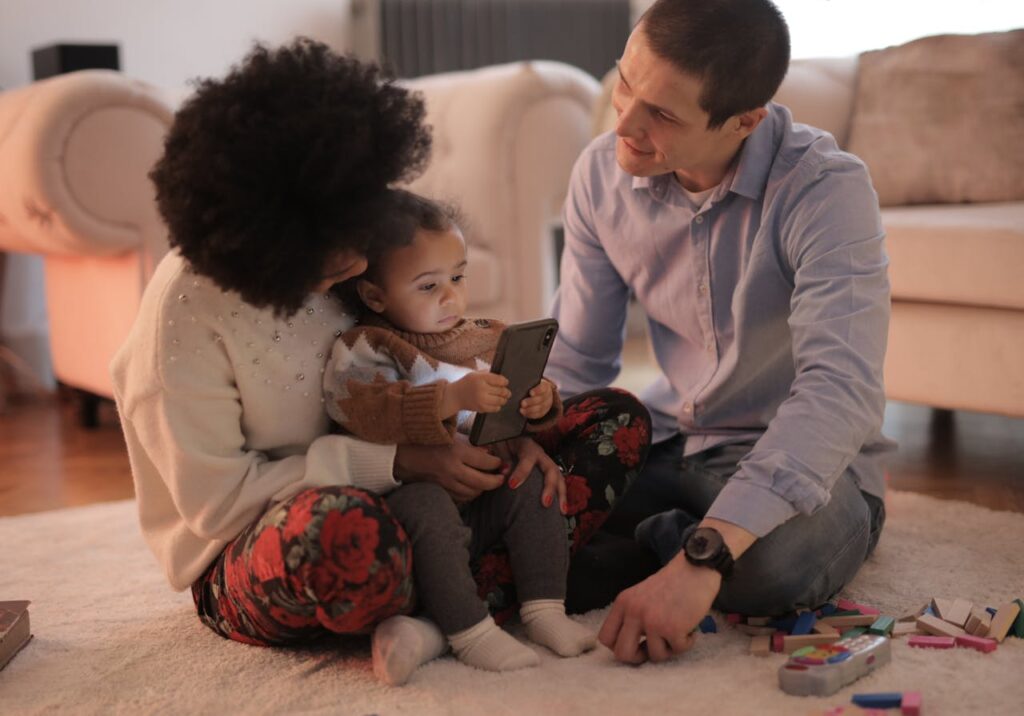
YouTube Shorts isn’t the problem; the problem is the pattern they create. There is unending swiping, which teaches children to be relaxed and to manage boredom with high-speed and noisy content. This is not the choice of children since they are not disciplined. They prefer it due to the fact that the system is created to draw our attention and make them scroll.
Plus, in most cases, videos on YouTube Shorts don’t have any value. They are low-quality content that can have serious implications for kids’ mental health.
Parents do not have to prohibit screens and struggle with technology daily. They need the means to act at home and clear delimitations. We help families schedule their screens at The Digital Parents so that they can foster focus, balance, and healthy growth, minimize digital overload, and offload potentially harmful features such as Shorts.
FAQ
1. Is it possible to turn off YouTube Shorts?
There is no full off switch provided in YouTube, although through browser extensions, Not Interested and Restricted Mode, these can be considerably reduced or eliminated.
2. Why does YouTube continue showing Shorts when I do not desire them?
Due to the fact that the algorithm gives preference to short-form videos, they make users watch more. There is a necessity to actively retrain the algorithm or resort to workarounds.
3. Is it possible to block YouTube Shorts on behalf of the child?
Yes. With Family Link or iPhone Screen Time, it is possible to prevent access to the YouTube app or restrict it to a particular child.
4. Does YouTube Kids have Shorts?
No! This is among the first reasons why younger children must use YouTube Kids, rather than the main app.
5. Are Shorts really bad for kids?
The content of short forms is not necessarily toxic; however, the fast, hyperactive form can influence the state of attention, emotional control, and learning patterns when they are used too often.